


 Call Sales
 Directions
Connect with us!
Categories
How to Use Nissan Intelligent Around View® Monitor Like a Pro [2026]
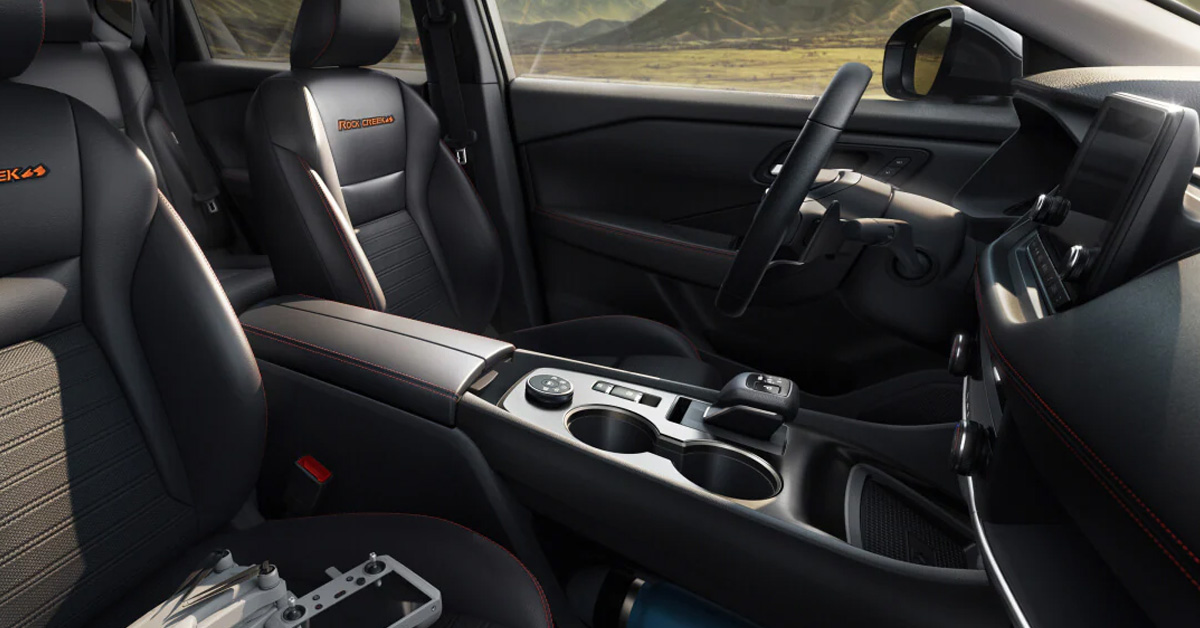
The Nissan Intelligent Around View® Monitor helps drivers park, maneuver in tight spaces, and avoid obstacles with greater confidence by using a Nissan 360-degree camera system that provides a virtual bird’s eye view of the vehicle. Learning when to use each camera angle, understanding Moving Object Detection alerts, and recognizing the system’s limitations can help you get the most out of this advanced Nissan driver assistance technology. With a few simple techniques, you can use your Nissan Around View Monitor like a pro and make everyday driving easier and safer.
At M’Lady Nissan, we are proud to help drivers in Crystal Lake and the surrounding areas find the right vehicle and take full advantage of the latest Nissan vehicle technology, including the popular Nissan Rogue. Whether you are shopping for a new Nissan, scheduling routine maintenance, or looking for financing options, our team is here to assist you every step of the way. Contact M’Lady Nissan today or stop by our dealership to experience our commitment to customer care and discover the latest Nissan safety features in person.
What Is the Nissan Intelligent Around View® Monitor and How Does It Work?
The Nissan Intelligent Around View Monitor is an advanced Nissan camera system designed to make parking and low-speed maneuvering easier. Instead of relying on a single backup camera, it combines images from four cameras placed around the vehicle to create a virtual Nissan 360-degree camera view. This bird’s eye perspective helps you better judge your position in relation to parking lines, curbs, and nearby obstacles.
The display offers more than one viewing angle, allowing you to see what matters most in different situations. For example:
- Overhead view: Shows a virtual top-down image of your vehicle and its surroundings for easier positioning.
- Front or rear view: Helps you see what’s directly ahead or behind when pulling into or backing out of a space.
- Side view: Makes it easier to monitor curbs and other objects alongside your vehicle.
The Nissan Around View Monitor is available on select Nissan models, including the popular Nissan Rogue, giving drivers added confidence in crowded parking lots, narrow garages, and other tight spaces. While it is a helpful driver assistance feature, it works best when combined with attentive driving and regular mirror checks.
If you’d like to experience the Nissan Intelligent Around View Monitor firsthand, visit M’Lady Nissan. Our team can demonstrate how this innovative technology works and help you find a Nissan equipped with the features that fit your daily driving needs.
When Should You Use the Nissan Around View Monitor?
The Nissan Around View Monitor is most helpful during low-speed maneuvers where visibility can be limited. Whether you’re navigating a crowded shopping center or squeezing into a compact parking space, this advanced Nissan parking technology provides a clearer view of your surroundings and helps you position your vehicle with greater confidence.
Some of the best times to use the system include:
- Backing into parking spaces
- Parallel parking along a busy street
- Maneuvering through tight parking lots
- Pulling into or out of parking garages
- Navigating narrow driveways or confined areas
As you shift into Reverse, the display typically shows the rear camera along with a bird’s eye view to help you line up your vehicle and monitor nearby obstacles. After shifting into Drive, the screen switches to the front view and overhead perspective, making it easier to pull forward safely and judge your distance from curbs or walls.
Drivers of vehicles like the Nissan Rogue often appreciate how this Nissan parking assist feature reduces the guesswork involved in everyday parking. It does not replace careful driving, but it can make routine maneuvers feel more controlled and less stressful.
If you’d like to see how the Nissan Around View Monitor performs in real driving situations, visit M’Lady Nissan. Our team can walk you through its features during a test drive and help you find a Nissan equipped with the technology that fits your lifestyle.
Which Camera Views Should You Use in Different Parking Situations?
Getting familiar with each view in the Nissan camera system can make everyday parking feel much more intuitive. Instead of relying on a single angle, the available camera views work together to give you better awareness of your surroundings. Learning when to use each one helps you take full advantage of your Nissan parking technology.
Here are the primary camera views and when they are most useful:
- Front view: Ideal when pulling into a parking space, approaching a wall, or entering a garage.
- Rear view: Best for backing into parking spots or watching for obstacles behind your vehicle.
- Bird’s eye view: The virtual Nissan 360-degree camera display helps you center your vehicle between parking lines and monitor nearby objects from above.
- Side or curb view: Useful for parallel parking or avoiding contact with curbs and other obstacles along the side of your vehicle.
Depending on your Nissan model, you can switch between camera angles using the Camera button. Before maneuvering in a tight space, take a moment to cycle through the available views to find the one that offers the clearest perspective for your situation.
Whether you’re driving a Nissan Rogue or another equipped model, using the right camera view at the right time can improve parking accuracy and boost your confidence behind the wheel. Visit M’Lady Nissan to experience these camera views during a test drive and learn how they can make your daily drives more convenient.
How Does Moving Object Detection Improve Nissan Safety Features?
Moving Object Detection (MOD) is one of the intelligent Nissan safety features designed to make low-speed driving and parking more convenient. As part of Nissan’s advanced camera and sensor systems, this Nissan driver assistance technology monitors the area around your vehicle and looks for movement that could require your attention while you’re maneuvering.
If the system detects a moving object nearby, it can provide:
- Visual alerts on the vehicle’s display
- Audible warnings to help capture your attention quickly
These alerts are especially useful in situations such as:
- Navigating busy parking lots with heavy foot traffic
- Watching for pedestrians walking behind your vehicle
- Avoiding shopping carts that roll into your path
- Noticing vehicles crossing behind you while backing out of a space
For example, if you’re reversing your Nissan Rogue from a crowded parking space, MOD can alert you to movement that may not be immediately visible through the mirrors alone. This extra awareness can help you react sooner and maneuver with greater confidence.
While Moving Object Detection is a valuable part of Nissan’s safety technology, it is designed to assist, not replace, an attentive driver. Always check your mirrors, look around your vehicle, and remain aware of your surroundings before moving. If you’d like to experience these advanced Nissan safety features in person, visit M’Lady Nissan and let our team demonstrate how they work during a test drive.
What Are the Best Practices for Using Nissan Parking Technology Safely?
Advanced Nissan parking technology can make parking more convenient, but it delivers the best results when paired with safe driving habits. Camera views and alerts provide valuable assistance, yet they should always complement your own awareness rather than replace it. Taking a few extra seconds to check your surroundings can help prevent accidents and avoid obstacles.
Keep these best practices in mind whenever you park or maneuver at low speeds:
- Check your mirrors before moving your vehicle.
- Look over your shoulder when appropriate, especially when backing up.
- Watch for pedestrians, cyclists, and pets that may enter your path unexpectedly.
- Be aware that small objects or obstacles outside the camera’s field of view may not appear on the display.
- Slow down and confirm your surroundings before changing direction.
For example, if you’re parking a Nissan Rogue in a busy shopping center, the cameras can help you line up within the space, but it’s still important to watch for someone walking behind the vehicle or a cyclist passing nearby. Safe driving depends on combining technology with careful observation.
Using Nissan parking assist alongside these habits allows you to take full advantage of modern Nissan safety features while maintaining confidence behind the wheel. If you have questions about how these systems work or want to experience them firsthand, stop by M’Lady Nissan. Our team is happy to demonstrate the latest parking technologies and help you find the Nissan that best fits your driving needs.
How Can You Keep the Nissan Camera System Performing at Its Best?
Keeping your Nissan camera system clean and well-maintained is one of the easiest ways to ensure clear visibility every time you park. Since the cameras are mounted around the exterior of the vehicle, they can collect dirt, road salt, rain, or snow that may reduce image quality. A few minutes of routine care can help your Nissan 360-degree camera provide a sharper, more accurate view of your surroundings.
To keep the system operating at its best:
- Wipe the camera lenses gently with a soft, clean cloth.
- Remove dirt, mud, snow, rain droplets, and road salt as needed.
- Avoid using abrasive materials that could scratch the camera lenses.
- Be careful when using a pressure washer, and do not spray directly at the cameras from close range.
- Inspect the cameras periodically to make sure they are free from debris.
If you drive a Nissan Rogue throughout changing Midwest seasons, regular cleaning becomes even more important. Snow, slush, and road grime can build up quickly, especially during the winter months, affecting the clarity of the camera display.
Routine maintenance helps preserve this valuable Nissan vehicle technology, allowing it to deliver the image quality and reliability you expect. If you have questions about caring for your vehicle’s cameras or need professional service, visit M’Lady Nissan. Our certified technicians can help keep every system on your Nissan performing as designed.
What Are the Limits of the Nissan Intelligent Around View® Monitor?
The Nissan Intelligent Around View Monitor is a valuable piece of Nissan driver assistance technology, but like any camera-based system, it has limitations. It is designed to provide extra visibility during low-speed maneuvers, such as parking or navigating tight spaces. It is not intended for use as a substitute for attentive driving at higher speeds.
There are several factors that can affect how well the system performs:
- Rain, snow, fog, or glare can reduce camera visibility.
- Dirt or water on the camera lenses may make the display less clear.
- Certain objects may not be visible in every camera view, depending on their size.
- Objects outside the camera’s viewing range will not appear on the screen.
Even if you’re driving a Nissan Rogue equipped with this advanced technology, it’s important to continue checking your mirrors, looking around the vehicle, and using good judgment before moving. The camera views are intended to enhance your awareness, not replace it.
Many models also include convenient NissanConnect features that complement the driving experience, but every driver should remember that technology works best when paired with safe driving habits. If you’d like to learn more about the capabilities of the Nissan Intelligent Around View Monitor or see it in action, visit M’Lady Nissan. Our knowledgeable team can demonstrate how these innovative features work and help you choose a Nissan equipped with the technology that fits your needs.
How Can You Become More Confident Using the Nissan 360 Degree Camera?
Like any new feature, the Nissan 360-degree camera becomes more useful the more you use it. Spending a little time practicing in an empty parking lot can help you understand how each camera view works and how the display relates to your vehicle’s actual position. As you gain experience, parking in everyday situations often becomes quicker and less stressful.
A few simple exercises can help you build confidence with the Nissan Around View Monitor:
- Park between painted lines using the overhead view.
- Practice backing into parking spaces from different angles.
- Try parallel parking while using the side and bird’s eye camera views.
- Switch between the available camera angles to learn when each view is most helpful.
- Pay attention to how the camera images match what you see through your mirrors.
If you drive a Nissan Rogue, these practice sessions can help you feel more comfortable using its advanced Nissan driver assistance technology before relying on it in busier environments. The goal is to make the camera system feel like a natural extension of your driving habits, rather than something you need to think about.
With regular practice, you’ll become more confident judging distances, positioning your vehicle, and navigating tight spaces. If you’d like hands-on guidance, visit M’Lady Nissan. Our team can demonstrate the camera system during a test drive and answer any questions so you can get the most from your Nissan’s technology.
How Do NissanConnect Features Complement the Around View Monitor?
While the Around View Monitor helps improve visibility during parking and low-speed maneuvers, NissanConnect features add another layer of convenience to your daily drive. Together, these technologies create a more connected driving experience by combining useful vehicle information, infotainment functions, and driver-focused tools in one easy-to-use system.
Depending on your Nissan model and trim level, NissanConnect may include features such as:
- Smartphone integration with Apple CarPlay and Android Auto
- Navigation and traffic information
- Bluetooth connectivity for hands-free calling and audio streaming
- Available remote access and connected services
- Vehicle information is displayed through the infotainment system
Drivers of the Nissan Rogue can appreciate how these connected technologies work alongside advanced safety systems to make every trip more enjoyable. While NissanConnect enhances convenience and connectivity, the Around View Monitor focuses on improving awareness when parking or maneuvering in tight spaces. Together, they showcase how modern Nissan vehicle technology is designed to simplify everyday driving.
No single feature does everything on its own, but when these systems work together, they create a more confident and comfortable driving experience. If you’re interested in seeing how NissanConnect features and other advanced technologies operate in person, visit M’Lady Nissan. Our team can demonstrate the latest technology available across the Nissan lineup and help you find the model that best fits your lifestyle.
What is Nissan Intelligent Around View® Monitor, and how does it work?
The Nissan Intelligent Around View® Monitor uses four exterior cameras to create a virtual 360-degree bird’s eye view of your vehicle. It displays overhead and individual camera views to help you see curbs, parking lines, and nearby obstacles while maneuvering at low speeds.
Which Nissan models have Intelligent Around View® Monitor?
Intelligent Around View® Monitor is available on select Nissan models and trim levels, including the Nissan Rogue. Availability varies by model year and configuration.
How does Nissan Around View® Monitor help with parking?
The Nissan Around View® Monitor helps drivers park by providing multiple camera views that make it easier to back into spaces, parallel park, avoid curbs, and maneuver in tight parking lots and garages with greater confidence.
Can Nissan Intelligent Around View® Monitor improve driver safety?
Yes. Nissan Intelligent Around View® Monitor can improve driver awareness during low-speed maneuvers by providing a clearer view around the vehicle. On equipped models, Moving Object Detection can also alert drivers to pedestrians, vehicles, or other moving objects nearby. However, the system is designed to assist the driver and does not replace attentive driving.
How do I use the Nissan 360-degree camera system?
To use the Nissan 360-degree camera system, shift into Reverse to display the rear and overhead camera views, then use the Camera button (on equipped models) to switch between available front, rear, side, and bird’s eye views. Always use the camera system together with your mirrors and check your surroundings before moving the vehicle.
Experience Advanced Nissan Technology at M’Lady Nissan
Whether you’re navigating a busy parking lot or pulling into a tight garage, features like the Nissan Intelligent Around View® Monitor can make everyday driving more convenient and confidence-inspiring.
If you’re in Crystal Lake and want to experience these technologies in person, visit M’Lady Nissan to explore our wide selection of new and pre-owned Nissan vehicles, including the versatile Nissan Rogue. Our knowledgeable team is here to help you compare features, answer your questions, and find the model that best fits your lifestyle. If you’re researching Nissan SUVs, there are plenty of ways to continue learning about the lineup. You can compare capability, interior space, and everyday practicality by reading more about Pathfinder vs 4Runner, Pathfinder vs Armada, or Pathfinder vs Rogue to see which SUV is the right choice for your driving needs.
From helping you choose the right vehicle to providing expert maintenance and genuine Nissan parts, M’Lady Nissan is committed to supporting you long after you drive home. Contact our team or stop by our dealership today to schedule a test drive, learn more about Nissan’s latest driver assistance features, and experience the difference for yourself.
Contact M’Lady Nissan
Get Directions to M’Lady Nissan
Disclaimer: All information is provided for general informational and entertainment purposes only. While we strive for accuracy, we cannot guarantee that all content is complete, current, or error-free. Any reliance you place on such information is strictly at your own risk. This article may include opinions and is not endorsed by, or officially affiliated with, any vehicle manufacturer or brand. Always consult official sources – such as the vehicle’s owner’s manual, authorized dealerships, or certified professionals – for the most up-to-date and personalized information.